サイトにムーンが復活しました

ゆるやかに学習してる Eclipse を使って PHP を覚えようシリーズですが、entry-date の部分にムーンを復活させてみました。これかわいいのでお気に入りなのです。
こんな感じに入れてみました。
/**********************************************
日付の右にムーン
**********************************************/
function postmeta_change($entrydate) {
return $entrydate . ‘半角スペース’ . moonphase(false);
}
add_filter(‘thematic_post_meta_entrydate’, ‘postmeta_change’);
方法は、どのファイルで動かしているかメドをつけるところから入ります。
Thematic 本体 index.php 内の thematic_above_indexloop
ここにカーソル置いてF3(宣言を開く)します。
wp-content/themes/thematic/library/comments-extensions.php
が開くので、その中で thematic_post_meta_entrydate の右に置けばよいので
postmeta_change と、任意に名称をつけて、return して、add_filter します。
代入という方法を使うと、
function postmeta_change($entrydate) {
$entrydate = $entrydate . moonphase(false);
return $entrydate;
}
または
function postmeta_change($entrydate) {
$entrydate .= moonphase(false);
return $entrydate;
}
(学習メモ)
記述が多くなってくると代入を使うとよさそうです。
ごほうびは五平餅♪
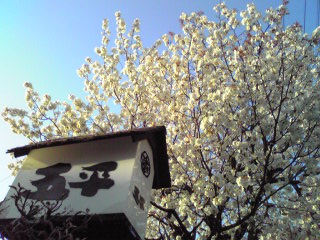 桜の木の下の五平さん。